The Three Leading Repairs
Fast battery drain, a phone that will not charge, and a cracked or lined display account for the most frequent Samsung repair needs in Phoenix.
At Phoenix Phone Repairs, the Samsung issues seen most often are fast battery drain, charging-port failures, cracked screens, and software slowdowns. Phoenix heat, drops, debris, and water exposure can turn those symptoms into battery swelling, display damage, or board corrosion, so identifying the cause early helps separate a software reset from a hardware repair.
Fast battery drain, a phone that will not charge, and a cracked or lined display account for the most frequent Samsung repair needs in Phoenix.
Heat, direct sun on dashboard mounts, desert dust, drops, storage near capacity, failed updates, and water exposure can each point to a different repair path.
For freezing or lag, try a soft reset, clear the affected app's cache, install pending updates, and use Safe Mode to isolate third-party software before moving to a factory reset or hardware diagnosis.
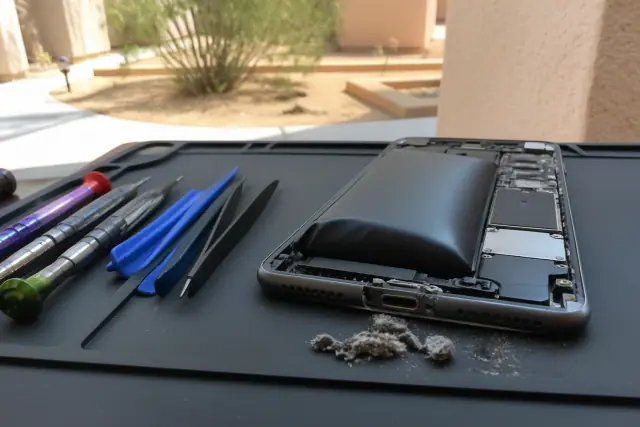
A close-up should show a lifting phone back and lint or desert dust blocking the charging port. These clues help distinguish battery replacement from cleaning or port repair.
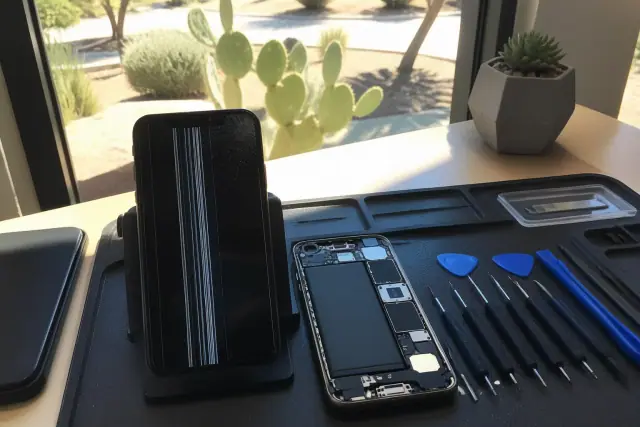
Screen lines, discoloration, and impact damage together. The comparison explains why a damaged display panel or loose flex cable is more likely than a software setting.
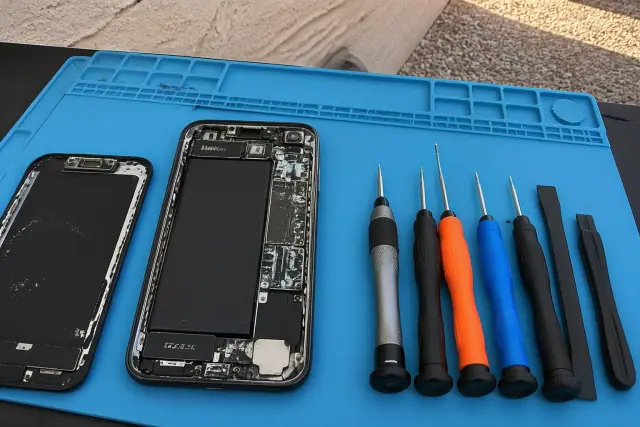
Mineral deposits and corrosion around board components after liquid exposure. This makes the need for disassembly, ultrasonic cleaning, and board inspection easier to understand.
Battery and Device Care shows battery health, storage, and background activity, while the built-in diagnostic can check the touchscreen, sensors, speakers, and cameras in a few minutes.
Capacity below 80% of rated mAh supports replacement, and Phoenix heat can contribute to swelling in batteries only 18-24 months old.
Corrosion can accelerate within hours while the battery remains connected, so prompt disassembly and cleaning improve the odds of recovering a wet phone.
A reset, cache cleanup, software update, or Safe Mode test may resolve freezing, crashing, slow performance, and wireless dropouts without replacing a part.
| Repair | Typical Cost Range | Typical Turnaround |
|---|---|---|
| Screen replacement | $150-$450 | Same day |
| Battery replacement | $100-$130 | Same day |
| Charging port repair | $80-$150 | Same day |
| Back glass repair | $100-$200 | 1-2 days |
| Liquid-damage diagnostics and cleaning | Varies by corrosion level | 1-3 days |
Fast drain or overheating can point to a degraded cell, a rogue background app, or a battery that cannot supply peak current. A phone that will not charge may have a bad cable, a debris-filled port, port wear, or a charging IC fault. Lines and discoloration usually indicate display or flex-cable damage after a drop, while camera, speaker, and microphone failures more often follow physical damage or debris intrusion.
The Galaxy S21 line can develop green-tint displays, touch-sensitivity trouble after One UI updates, and faster battery drain, while S20 phones approaching four to five years old often show charging-port wear or camera-autofocus failure. A-series phones more often arrive with cracked screens or battery swelling than deeper hardware faults. Heavy navigation use, dashboard mounts in direct sun, pool season, and July and August monsoon exposure add Phoenix-specific stress.
How long should a Galaxy phone last? Most provide 4 to 5 years of solid daily use, although battery capacity often drops noticeably around year two or three. Recent flagship models may receive up to seven years of security updates, so a battery replacement can extend useful software life. Based on the shop's bench observations, A-series and S23/S24 phones show fewer hardware failures than older S20 and Note lines.
Describe the model, symptoms, and when the problem started. Phoenix Phone Repairs can run a free diagnostic, compare repair with replacement, and complete post-repair checks for charging, display response, cameras, and sensors. Bench work uses OEM-grade parts, ESD-safe procedures, and IPC-A-610 workmanship standards.