Proudly serving Phoenix, Glendale, Scottsdale, Tempe, Mesa, Chandler & surrounding areasCall or Text 24/7: 480-243-9123

Water Damage Repair in Phoenix, AZ for Liquid Exposure & Corrosion Restoration

Phoenix Phone Repairs provides water damage repair and full-service phone and tablet repair for residents and businesses in Phoenix, Arizona. Our technicians handle iPhone, Samsung Galaxy, and Google Pixel liquid damage, along with screen, battery, charging port, and back glass repairs. We also repair water-affected iPads and Android tablets. Service extends across Phoenix, Scottsdale, Tempe, Mesa, Chandler, and Glendale.

Phoenix monsoons, backyard pools, spills, and summer heat above 110 degrees can expose phones to liquid while also stressing their adhesive seals. Corrosion and conductive residue keep spreading after a device appears dry. Phones brought in within 24 hours and never powered back on have dramatically better recovery odds than devices left untreated. We isolate power, inspect the logic board, clean corrosion, and test affected components before reassembly.

Our CompTIA A+ hardware-certified technicians work to IPC-A-610 electronics assembly standards. We use genuine and OEM-grade phone components rather than generic aftermarket parts wherever the device allows it.

Phoenix Phone Repairs provides water damage repair throughout Phoenix and across the Valley, including Scottsdale, Tempe, Mesa, Chandler, and Glendale.

★ ★ ★ ★ ★4.9/5 Average Rating · 20+ Years of Experience · Thousands of Customers Helped · Licensed & Insured · Residential & Commercial

Water Damage Repair Options & Benefits

What Does Water Damage Repair Involve?

Water damage repair stops corrosion, removes conductive mineral residue from circuit boards and connectors, and replaces components already compromised by liquid. The work may involve the logic board, battery, charging assembly, screen, cameras, speakers, or sensors depending on where moisture traveled.

Repairability depends heavily on the liquid type, exposure time, corrosion depth, and whether the phone was powered on afterward. Fresh water, salt water, chlorinated pool water, and storm water leave different residues, so each device needs a full assessment before a repair quote.

Rice and hair dryers do not remove deposits or oxidation from the board. Heat can push moisture deeper into the housing, while powering the phone on can turn recoverable liquid exposure into permanent short-circuit damage.

Benefits of Professional Liquid Damage Repair

A professional assessment finds damage that surface drying cannot reveal and matches the repair to the device, liquid, and failed components. The goal is to stop ongoing corrosion, restore reliable operation where possible, and give you a specific quote based on what is actually inside the phone.

  • Power is isolated before deeper short circuits develop
  • Ultrasonic and manual cleaning remove residue and oxidation
  • Microscope inspection reveals hidden board and connector damage
  • Model-specific diagnostics separate working parts from failed ones
  • Genuine and OEM-grade components preserve fit and function
  • Charging, display, cameras, speakers, and sensors are tested
  • 24/7 phone repair availability supports urgent liquid exposures
  • Mobile service options may help customers who cannot reach the shop
Device-Specific Repair

Phone Water Damage Services

Internal layouts, seals, displays, batteries, and charging assemblies differ across devices. Our water damage services account for those differences while following the same core sequence of power isolation, disassembly, corrosion cleaning, component evaluation, and testing.

iPhone Water Damage Repair

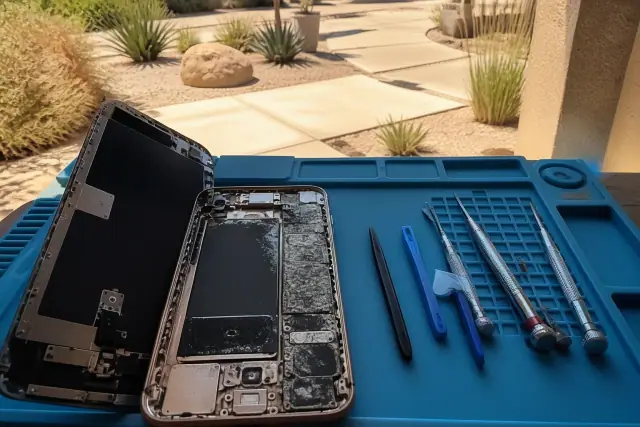
Smartphone with internal corrosion and repair tools on a workbench in Phoenix, AZ.

iPhone 7 and newer models carry an IP67 or IP68 rating under IEC, but seals weaken with age, dropsand prior screen replacements. A pool splash on a two-year-old iPhone can therefore produce very different damage than the same splash on a new device. We inspect the liquid contact indicator, logic board, battery connector, charging assemblyand OLED display before recommending cleaning or replacement.

Request Estimate

Samsung Galaxy Water Damage Repair

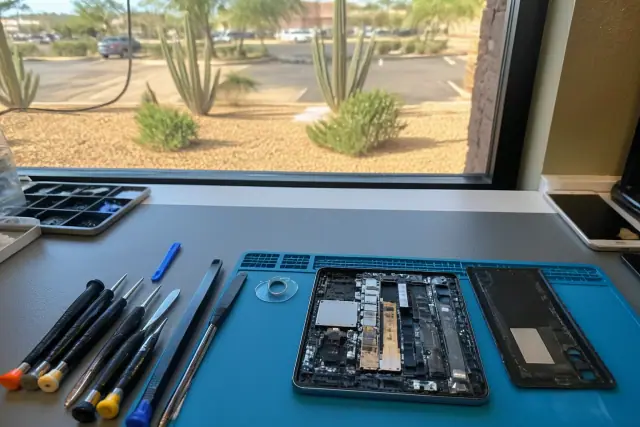
Open smartphone being repaired at a workbench with tools in Phoenix, AZ, with desert landscape visible through the window.

Galaxy S and Note devices may have IP68 water resistance, yet Phoenix heat cycles can weaken internal adhesive over two to three years of ownership. We check diagnostic moisture readings, the mid-frame gasket, board residue, AMOLED display behavior, battery capacity, and USB-C contacts. A water-affected Samsung battery that shuts down while showing 20-30% charge is evaluated for replacement.

Request Estimate

Google Pixel Water Damage Repair

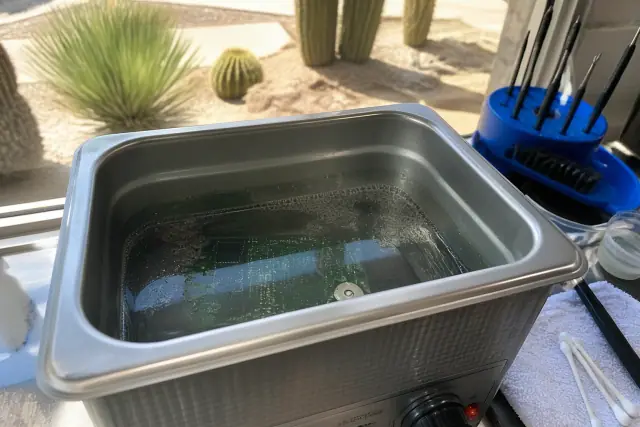
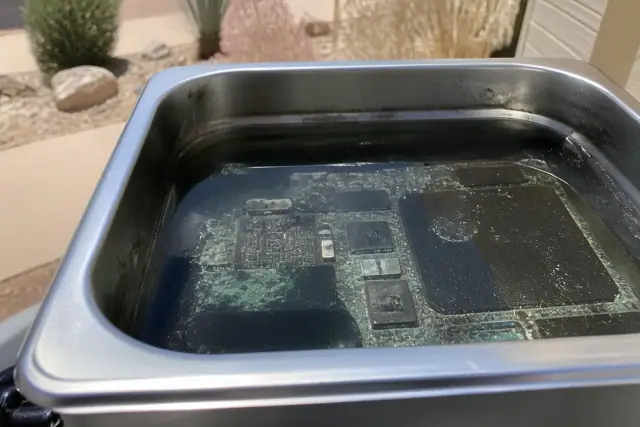
A circuit board being cleaned in an ultrasonic bath for Google Pixel water damage repair in Phoenix, AZ.

Pixel phones have compact internal layouts that require full, careful disassembly. We remove the back glass, inspect the motherboard, camera flex cables, and battery connector for white or green corrosion, then assess the OLED screen for flicker or touch dead zones. Controlled heat and solvent allow safer battery removal around tightly packed flex cables.

Request Estimate

Water-Damaged Screen Replacement

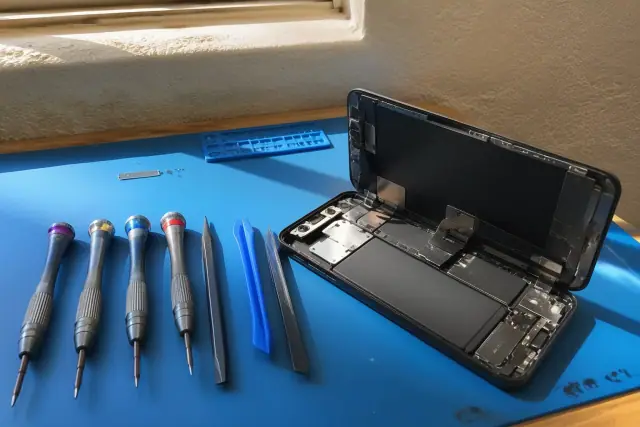
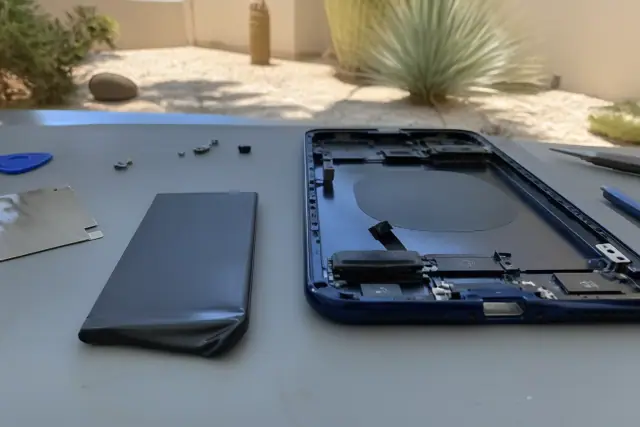
Opened smartphone with internal components on a workbench for water damage repair in Phoenix, AZ.

Liquid trapped between an OLED or LCD panel and its frame can cause discoloration, dim spots, dead pixels, flickering, lines, or ghost touches. We replace the full display assembly when cleaning cannot correct the damage and verify color, touch response, and calibration before handoff. Most standard screen repairs are completed the same day, while water-damage timing depends on corrosion and drying needs.

Request Estimate

Battery and Charging Port Repair

New battery and open smartphone chassis during repair in Phoenix, AZ.

Moisture can make a battery swell, short, drain quickly, or shut a phone down unexpectedly. Mineral buildup also attacks Lightning and USB-C contact pins, interrupting charging and data transfer. We test the battery, port, and cable separately, replace liquid-contacted batteries as standard practice, and clean or replace corroded port assemblies as needed.

Request Estimate

iPad and Android Tablet Repair

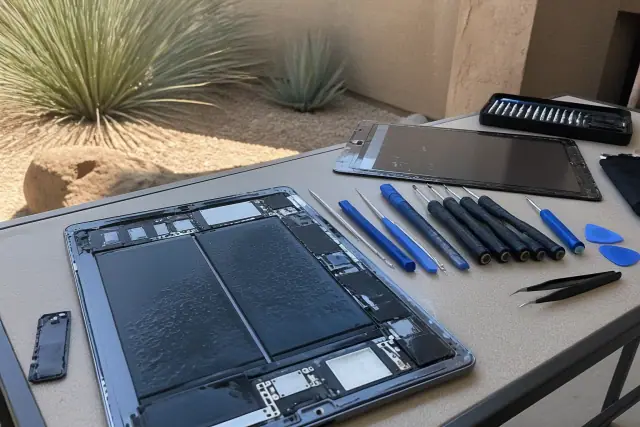
Open tablet and smartphone on a repair workbench with tools in Phoenix, AZ, set against a desert stucco exterior.

Water-affected iPads and Android tablets receive the same disassembly, corrosion-cleaning, and testing standards as phones. Screen work is adapted to the larger glass and digitizer assembly, while batteries, charging ports, logic boards, speakers, cameras, and sensors are checked according to the device's layout.

Request Estimate
Liquid Exposure Types

Types of Liquid Damage Repairs

The liquid source and time since exposure shape the cleaning plan and recovery outlook. Fresh water, pool water, salt water, storm water, and long-term corrosion each call for careful inspection of the board, connectors, display, battery, and ports rather than a one-size-fits-all drying method.

Water damage repair showing sink spill evidence on a residential floor in Phoenix, AZ.

Fresh Water and Sink Spills

A sink, bathtub, or drink spill can still leave conductive minerals inside a phone after the visible moisture is gone. Early power isolation and internal inspection help prevent a small exposure from progressing into connector or logic board corrosion.

  • Power the device off immediately
  • Remove the case without applying heat
  • Check liquid contact indicators and ports
  • Inspect the board and connectors under magnification
  • Clean residue before oxidation spreads
Request Estimate
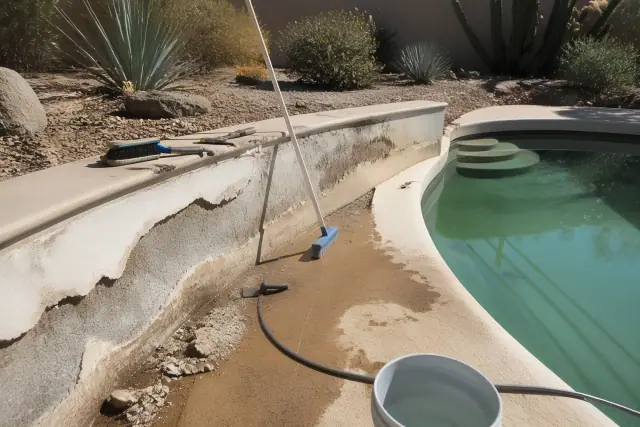
Repairing pool and chlorinated water damage on a residential jobsite in Phoenix, AZ, under bright midday sun.

Pool and Chlorinated Water Damage

Backyard pool exposure is common in Phoenix, and chlorinated water can leave residue on boards, connectors, batteries, displays, and charging contacts. Even a phone that turns back on needs inspection because deposits can remain after the housing dries.

  • Chlorine residue requires more than surface drying
  • OLED and LCD panels are checked for trapped moisture
  • Lightning and USB-C contacts are inspected for buildup
  • Liquid-contacted batteries are replaced
  • Aged or damaged seals are evaluated during disassembly
Request Estimate
Circuit board with salt water corrosion and mineral crusting being cleaned in Phoenix, AZ.

Salt Water Exposure

Salt water leaves highly conductive residue and can create deep logic board corrosion, especially after long submersion. Recovery is not always possible, so we disassemble and diagnose the device before quoting repair work.

  • Power stays off until internal evaluation
  • Full disassembly exposes residue beneath shields and connectors
  • Ultrasonic cleaning lifts mineral deposits
  • Manual cleaning targets contact points under magnification
  • Diagnostic findings determine whether repair is practical
Request Estimate
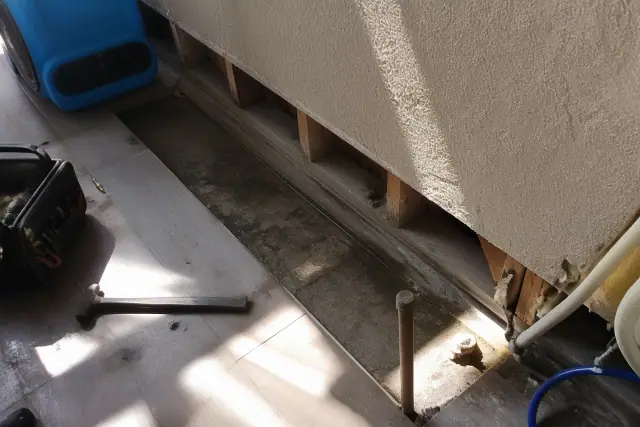
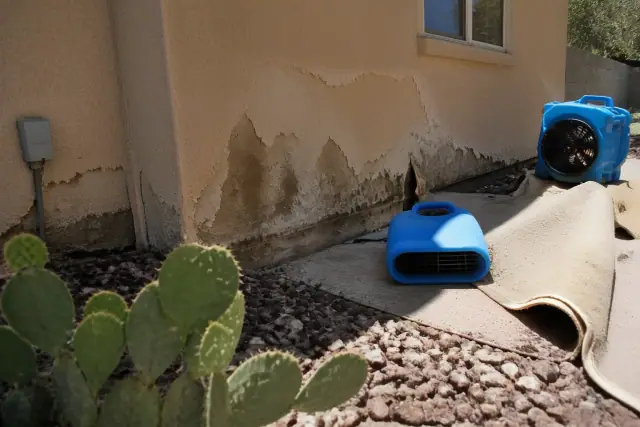
Water-damaged drywall and carpet with air movers drying a room in Phoenix, AZ.

Monsoon and Storm Water Damage

Phoenix monsoon season brings sudden heavy rain and flash flooding between July and September. A phone soaked during a downpour should be powered off and assessed promptly because storm water and trapped moisture can leave corrosion behind even after the exterior dries.

  • Turn the phone off instead of checking whether it works
  • Remove the case and avoid hair dryers or car vents
  • Document the liquid source when known
  • Inspect ports, indicators, and the logic board
  • Treat corrosion rather than relying on exterior drying
Request Estimate
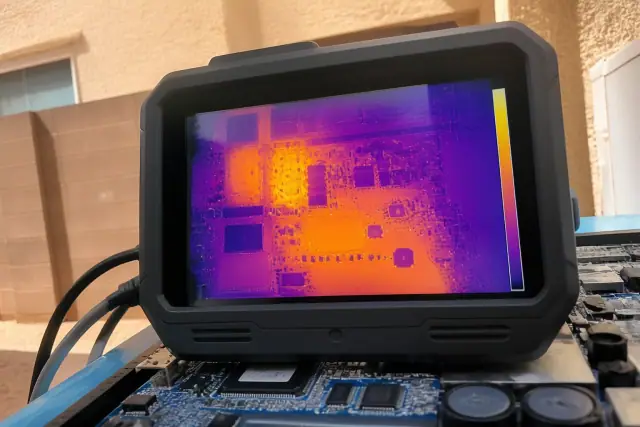
Thermal monitor showing heat damage on a motherboard during a water damage repair job in Phoenix, AZ.

Heat and Long-Exposure Damage

Phoenix heat accelerates battery wear and stresses the adhesive seals that support a device's original water resistance. Once liquid enters, oxidation can continue unseen, turning an initially working phone into a later screen, battery, port, or logic board failure.

  • Extreme summer heat speeds corrosion chemistry
  • Heat cycles can weaken internal adhesive seals
  • A week in a drawer can reduce recovery odds
  • Corrosion can spread after the device looks dry
  • Failures may appear weeks or months after exposure
Request Estimate
Finding the Right Repair

Choosing the Right Water Damage Repair Approach

The right approach starts with the device model, liquid type, time since exposure, and whether power was applied afterward. Diagnostics show whether the phone needs corrosion cleaning alone, a screen, battery, or charging port replacement, or more involved logic board work. We explain what is at risk, what has already failed, and what the inspection supports before repair begins.

Board-Level Diagnostics and Cleaning

Experience across thousands of Phoenix devices helps our technicians distinguish a simple splash from progressive corrosion. We combine diagnostic scans, liquid indicator checks, microscope inspection, ultrasonic cleaning, and manual connector work to locate and remove damage that cannot be seen from outside the phone.

Certified, Standards-Based Technicians

Our technicians hold CompTIA A+ hardware certifications and work to IPC-A-610 electronics assembly standards. That disciplined approach guides component handling, connector inspection, corrosion cleanup, and reassembly on tightly packed phones and tablets.

Genuine and OEM-Grade Components

Where the device allows it, we source genuine and OEM-grade screens, batteries, charging assemblies, and other phone components instead of generic aftermarket parts. Model-matched components support accurate fit, display color, touch response, charging performance, and careful resealing during reassembly.

What Sets Us Apart

Why Choose Phoenix Phone Repairs for Water Damage Repair?

We diagnose before quoting, explain which components are at risk versus already failed, and match the repair to the actual internal damage. Phoenix-specific experience with monsoon rain, pool water, extreme heat, and aging seals informs the assessment without replacing careful bench testing.

Request an Assessment

Power-On Short Circuits

Turning on a wet phone to check whether it still works is the most damaging mistake we see. Applying power while liquid or conductive residue bridges contacts can create permanent short circuits that were not present at the moment of exposure.

Hidden Logic Board Corrosion

Oxidation may begin beneath shields, cables, and connectors while the exterior looks dry. White or green corrosion on a motherboard, camera flex cable, or battery connector can keep spreading until cleaning removes the residue and compromised parts are addressed.

Screen Discoloration and Ghost Touches

Moisture inside an LCD or OLED assembly can produce green or pink lines, discoloration, dim spots, flicker, dead pixels, touch dead zones, or ghost touches. These symptoms may appear days after exposure because water can stay trapped between the panel and frame.

Battery Swelling and Random Shutdowns

A battery exposed to moisture can swell, short, drain unusually fast, or cause shutdowns at an inaccurate displayed charge. Because failure may surface later, any battery that has contacted liquid is replaced as part of standard water damage repair practice.

Charging Port Corrosion

Mineral buildup attacks the contact pins inside Lightning and USB-C ports, causing slow, intermittent, or failed charging and data transfer. We inspect the cable, battery, and port separately, then clean or replace the port assembly according to the test results.

Heat-Weakened Water-Resistance Seals

Water-resistance ratings assume intact seals, but age, drops, prior repairs, and repeated Phoenix heat cycles can weaken the adhesive. A phone that once resisted splashes may therefore take on moisture through a compromised screen or back-glass seal.

How It Works

Our Water Damage Repair Process

Every wet phone, iPad, or Android tablet follows a documented sequence designed to limit additional electrical damage and reveal hidden corrosion. The process moves from power isolation and diagnostics through full disassembly, cleaning, component repair, controlled power-up, and multi-point testing.

01.

Isolate Power and Document Exposure

We keep the device powered off, record the known liquid type and exposure details, and check liquid contact indicators. This reduces the chance of creating new shorts before the internal condition is understood.

02.

Run the Initial Diagnostic

A pre-repair diagnostic and visual inspection establish a baseline for the display, charging system, battery, cameras, speakers, sensors, and other accessible functions. Model-specific readings, including Samsung moisture detection, help direct the inspection.

03.

Disassemble and Inspect Components

The device is taken down to the logic board, with screws, cables, shields, gaskets, and assemblies organized in order. Each component is inspected individually under magnification so residue beneath a part is not mistaken for a clean working assembly.

04.

Remove Corrosion and Residue

Logic boards go through ultrasonic cleaning with 99% isopropyl alcohol to lift mineral deposits. Connectors and contact points then receive manual cleaning under magnification to address remaining oxidation.

05.

Repair Compromised Components

Components that liquid has compromised are cleaned, restored, or replaced according to the diagnostic findings. Common work includes the battery, charging port, screen, back glass, camera flex cables, and related connectors, using model-matched genuine or OEM-grade parts where available.

06.

Reassemble and Complete Final Testing

We power the rebuilt device on with a bench supply before installing the final battery. A multi-point test checks charging speed, display, touch response, cameras, speakers, sensors, and data transfer before the device leaves the bench.

Act Before Corrosion Spreads

Schedule a Water Damage Repair Assessment

Power the device off, remove its case, and avoid rice, hair dryers, or repeated charging attempts. Contact Phoenix Phone Repairs so we can assess the liquid exposure, explain the likely repair path, and provide a quote based on the internal findings.

Phone Repair Help

Water Damage Repair FAQs

These answers cover repair cost, timing, immediate handling, water-resistance ratings, and what professional corrosion remediation involves. A diagnostic is still necessary because the model, liquid, exposure time, and affected components change each repair.

Call Our Technicians

Cost depends on how far corrosion has spread and which components need replacement. A device that needs cleaning and a battery costs less than one with damage to the logic board, screen, and charging port. We diagnose the phone first and provide a quote based on the actual internal findings.

Look for a shop that diagnoses before quoting, uses ultrasonic cleaning instead of only wiping visible parts, and explains which components are at risk or already failed. Ask about genuine or OEM-grade parts and hardware credentials such as CompTIA A+. A clear assessment should come before authorization to repair.

Many water-damaged phones can be repaired, especially when they arrive within 24 hours and have not been powered back on. Deep logic board corrosion from salt water or long submersion may not be fully recoverable. A diagnostic determines the realistic repair outlook before work is quoted.

The trade commonly calls it liquid damage repair or corrosion remediation. It involves disassembly, ultrasonic or manual cleaning of the logic board and connectors, corrosion removal, and replacement of compromised parts such as the battery, charging port, or display. It is more involved than simply drying the housing.

Difficulty depends on corrosion depth and the device's internal layout. Newer iPhones and compact Pixel models can require more time-intensive disassembly and cleaning than older or larger devices. Incomplete home cleaning can leave conductive residue that continues damaging the board.

Basic cases that need cleaning plus a battery or charging port replacement can often be completed the same day. More involved logic board cleaning and staged testing can take one to a few days, depending on how deep the damage goes. The initial assessment provides a more realistic timeframe for the specific device.

Corrosion can continue spreading after the device dries and appears to work. Later symptoms may include a swollen battery, random shutdowns, a failed charging port, display problems, or a dead logic board. Waiting generally gives oxidation more time to affect additional components.

Yes. Monsoon season brings sudden heavy rain and flash flooding between July and September, while summer heat above 110 degrees can speed corrosion chemistry and stress adhesive seals. Phoenix pool use also creates a steady mix of storm water, chlorinated water, and heat-related seal failures.

Power the phone off immediately, remove its case, and do not reconnect a charger. Avoid repeated attempts to see whether it still works. Prompt assessment gives technicians the best chance to clean residue before corrosion spreads.

No. Rice does not remove mineral deposits or oxidation from circuit boards and connectors, while hair dryers or hot car vents can push moisture deeper into the housing. Proper repair requires internal inspection and corrosion cleaning rather than exterior drying alone.

Yes. Those ratings depend on intact seals, and water resistance can degrade with age, drops, Phoenix heat cycles, and prior screen or back-glass repairs. An IP-rated phone that develops moisture symptoms still needs an internal assessment.

The battery, screen, charging port, back glass, camera flex cables, and related connectors may need attention depending on where moisture traveled. Logic board cleaning may be enough for some devices, while others need several components replaced. Diagnostics identify the affected parts before a repair quote is given.

The rebuilt device is first powered with a bench supply instead of the original battery. A multi-point test then checks charging, display and touch response, cameras, speakers, sensors, and data transfer before final handoff. Device-specific calibration is also verified where applicable.